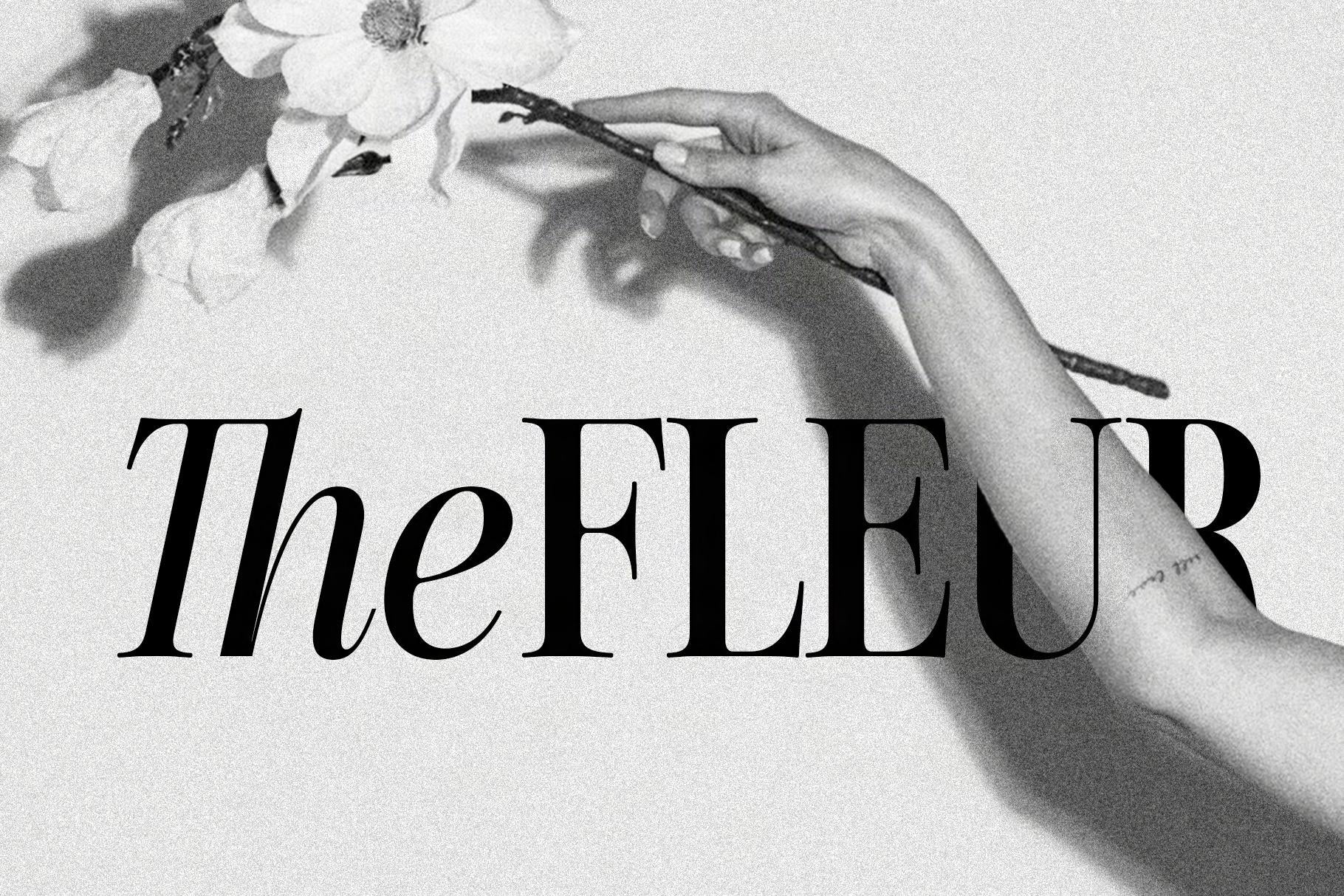
SLTF Hazel Shore is a serif & script font duo. A high contrast display serif with a matching true italic, and a flowing script drawn to sit inside it.
The idea is simple. You set a word in the serif, then swap one letter for its script counterpart and the...
SLTF Hazel Shore is a serif & script font duo. A high contrast display serif with a matching true italic, and a flowing script drawn to sit inside it.
The idea is simple. You set a word in the serif, then swap one letter for its script counterpart and the whole thing changes character. LONDON with a script L. CHRISTY with a script C. The Story of You with a script S carrying a swash halfway down the page. It's a trick that only works if the two faces are drawn to the same proportions, which is why they were built together rather than paired after the fact. Same x-height, same cap height, same 1000 unit em.
The serif is where the detail lives. 901 glyphs, with 124 ligatures and three stylistic sets that give you alternate forms for the letters that carry a headline. Old style and tabular figures, fractions, superscripts and subscripts, and enough Latin coverage for over 100 languages, including Vietnamese, Central European and Turkish. The italic carries its own set of 111 ligatures.
The script is the display partner. High contrast, long entry and exit strokes, contextual alternates that adjust the joins as you type. It's drawn for names, monograms and single words at large sizes, not for setting paragraphs.
Where it works: fashion and beauty branding, packaging, wine and spirits labels, editorial covers, wedding and event stationery, logos, record sleeves.
WHAT YOU GET
- SLTF Hazel Shore Regular
- SLTF Hazel Shore Italic
- SLTF Hazel Shore Script
- Serif and italic support 100+ languages
FAQ
How do I get the mixed script and serif effect in the previews?
Set the word in the serif, then change just the first letter to the Script font. Both fonts share the same cap height and x-height, so the swap lines up without manual adjustment.
Do I need design software to access the ligatures and alternates?
The ligatures apply automatically in any app with OpenType support, including Illustrator, InDesign, Photoshop, Affinity and Figma. The stylistic sets need the OpenType or Typography panel. Canva does not expose stylistic sets.
Is the italic a true italic?
Yes. It is drawn separately rather than slanted, and it carries its own ligature set.
Which languages does the serif cover?
Over 100, including Western and Central European, Vietnamese, Turkish, Romanian and Catalan.
What is the script best used for?
Single words, names, monograms and short display lines. It is drawn for large sizes where the long strokes have room.
Install and use the font on up to 2 desktop computers for personal or commercial design work. Covers branding, print, packaging, social media graphics, and static digital exports. Each user at your studio needs their own license. Font files may not be shared with clients, collaborators, or third parties.
Full licensing details →Embed the font on websites you own or manage via CSS @font-face for live browser rendering. Covers headlines, UI, and body text on a single web property. Each client website requires its own license. Font files must remain secure and inaccessible to end users or third parties.
Full licensing details →Install and use the font on up to 2 desktop computers and embed it on a single web property via CSS @font-face. Combines the Standard Desktop and Webfont licenses at 25% off buying both separately. Each user at your studio needs their own license, and each client website requires its own. Font files may not be shared with clients or third parties, and web files must remain secure and inaccessible to end users.
Full licensing details →Embed the font in electronic publications including EPUB, MOBI, and PDF formats for personal or commercial distribution. Covers selling or distributing e-books on platforms like Amazon Kindle, Apple Books, or Google Play. Fonts must be securely embedded and not extractable by readers or third parties.
Full licensing details →Embed the font in a single mobile or desktop application for iOS, Android, or similar platforms. Covers UI elements and in-app content. Each unique app project requires its own license. Free and paid versions of the same app count as one. Fonts must be securely compiled and not extractable.
Full licensing details →Embed the font in a single digital product — such as a website template, Canva pack, or social media template — for commercial resale or distribution to unlimited end users. Each product requires its own license. Raw font files may never be included or made accessible to end users.
Full licensing details →✓ Added to your cart — VIEW CART, or keep adding licenses below.
Just me, Alen. I design the fonts, build the website, answer emails, test every file, and pack everything into this little corner of the internet myself. If you reach out, you are talking directly to the person who drew the letters.
Yes. All paid licenses allow commercial use. That includes branding, packaging, posters, social media graphics, YouTube thumbnails, editorial layouts, and pretty much any static design work. If you are not sure, tell me what you are working on and I’ll guide you to the right license.
Here is the simplest breakdown:
If your project mixes several use cases, you might need more than one license. Ask me if you are unsure.
Absolutely. Logo design is fully covered by the Desktop license. You can trademark the logo design you create with my font. You just can’t trademark the entire typeface itself. Convert your final logo to outlines before sending it to your client.
The person or company installing and using the fonts needs the license. If you install the fonts to create work for your client, you need the license. If the client also installs the fonts internally, they need their own license too.
Yes, but with rules:
If your customer edits text, you need the Template or Server License. One license covers one template product. Never include or redistribute the font files.
Usually yes.
If the font only appears in a static logo image on the website, Desktop is enough.
OTF is always the best choice for desktop work and gives you all the OpenType features.
Install OTF. It is the modern format that supports ligatures, alternates, swashes, and smoother curves. Use TTF only if an older machine or tool specifically requires it.
Then restart your design apps so they can refresh their font list.
You need software that supports OpenType features:
If you want, send me a screenshot and I’ll point you to the right panel.
This is usually a cached font list issue. Try this:
This forces your system to rebuild its font list.
Yes, but you need the correct license:
If you are only designing the book cover as an image, Desktop is enough.
You can modify the vector shapes after converting to outlines in Illustrator. You cannot open, rename, reverse engineer, or change the actual font software files. The font file is protected software.
No. Sharing the actual font files outside your licensed team is not allowed.
You can share final artwork. You cannot share the raw font software.
Yes. If your project involves TV, streaming, a very large number of users, or a software platform where many end users interact with the fonts, I can prepare a custom license.
Tell me:
I will review it and send you a tailored offer so everything is covered properly.
Fonts are digital files and cannot be returned once downloaded, so all sales are generally final. But I’m human. If you bought the same font twice or you find a genuine technical issue, email me. I want you to be happy with your purchase.
If you created an account at checkout, log in and re download your fonts anytime. If not, send me your order details and I will email you fresh links.
Just use the contact form on my website or email me directly at info@silverstagtype.com I reply personally. I’m one person, not a support team, so please give me a little bit of time. But I always get back to you.
Every typeface in the SilverStag Type catalog is designed in-house, with a consistent focus on character, versatility, and professional-grade OpenType features. If this one caught your eye, the fonts listed here share the same design language — explore them to find the right fit for your next project.

SilverStag Type Foundry is all about fonts that feel real, intentional, and full of character. Every typeface is crafted with care, with details that come from hours of sketching, refining, and testing in real design projects. These are fonts made for designers who want more than generic type - they want typography with a soul that stands out in branding, editorial, web, and packaging design.
Each font family is inspired by music, stories, and the beautiful chaos of creativity. From bold, expressive display fonts to refined serifs and elegant scripts, every SilverStag typeface is designed to tell a story and bring emotion into your work. If you’re into fonts that break the mold, feel handcrafted, and give your designs a distinctive voice, you’re in the right place.